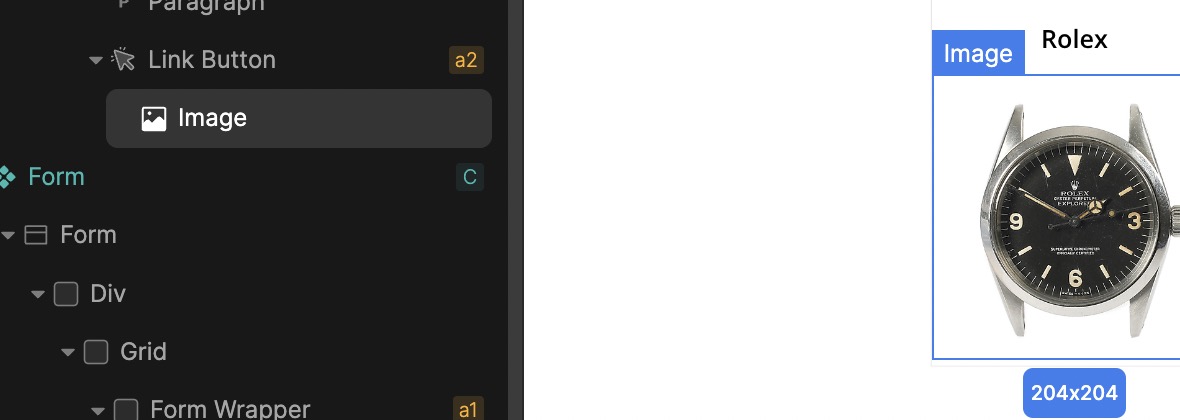
It would be nice to see nested divs when selecting in the Builder, and also be able to select overlaying divs
Example:

In this example (CMS), I nested an image in a Link element.
It would be nice to see nested divs when selecting in the Builder, and also be able to select overlaying divs
Example:
In this example (CMS), I nested an image in a Link element.
Hello,
I am not sure that I understand this, can you maybe try to explain it a bit better? 
Sure thing 
In this example I have a image nested inside a link block:
Stucture:

Clicking on the image in the Builder it (obviously) shows the image element for the selected loop (if I click image 3, it selects loop 3 by default  ) and I can style it, but there is no easy way to select Link Button 2-6 in this example…
In my (Figma edited) example image: you see the image element but also the parent div = Link Button:
Previous example image made in Figma:
Usecase could be in a loop, for example, and you want to style each “Link Button” differently, you need to go to “Settings” and select the loop number you want to edit, then back to the “Design” tab - back and forth for as many loops you have… I hope this makes sense 
I agree that it is currently costing way too much mouse movement and clicks to reach certain parent elements and that @MixxMaster’s idea here is a time-saving quality-of-life improvement if it can be implemented without cluttering the interface too much. I have seen ways to do this by for example adding a little extra icon next to the selected element indication to select it’s direct parent or parent of parent.